

Toyota Automobile Museum Exhibit Guide for Smartphone
This free audio guide app will make your visit to Toyota Automobile Museum more enjoyable.
Please access the exhibit guide from your smartphone.
Access the exhibit guide for smartphone
Browser
Recommended Browser:
Safari latest version
Chrome latest version

How to use
Access the exhibit guide for smartphone
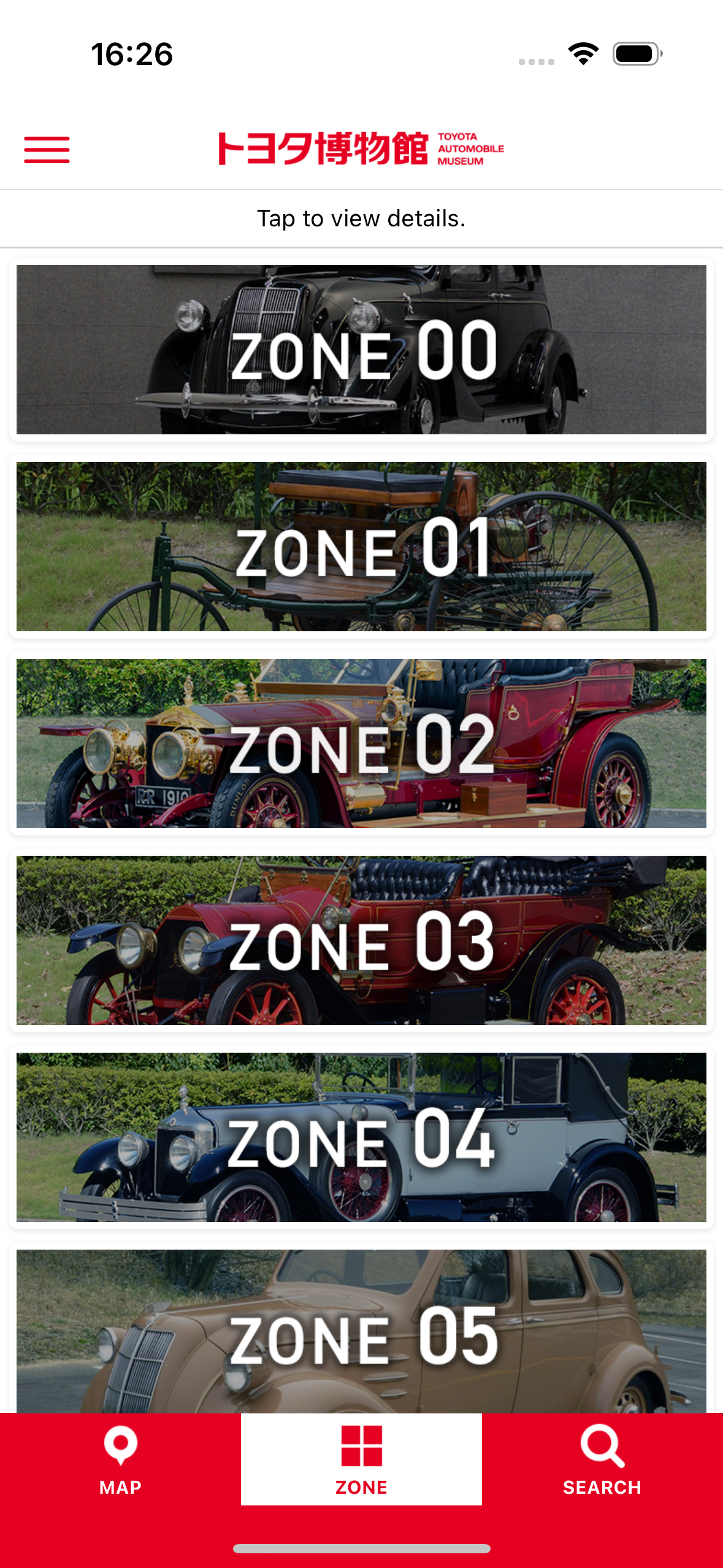
Please access the exhibit guide website via URL or QR code.
Add to Home Screen

Adding it to the home screen at the beginning makes it more convenient to use exhibit guidance.
List of Explanation Spots

List of exhibit spots. Tap the exhibit you want to hear about.
Spot Details & Audio Guide
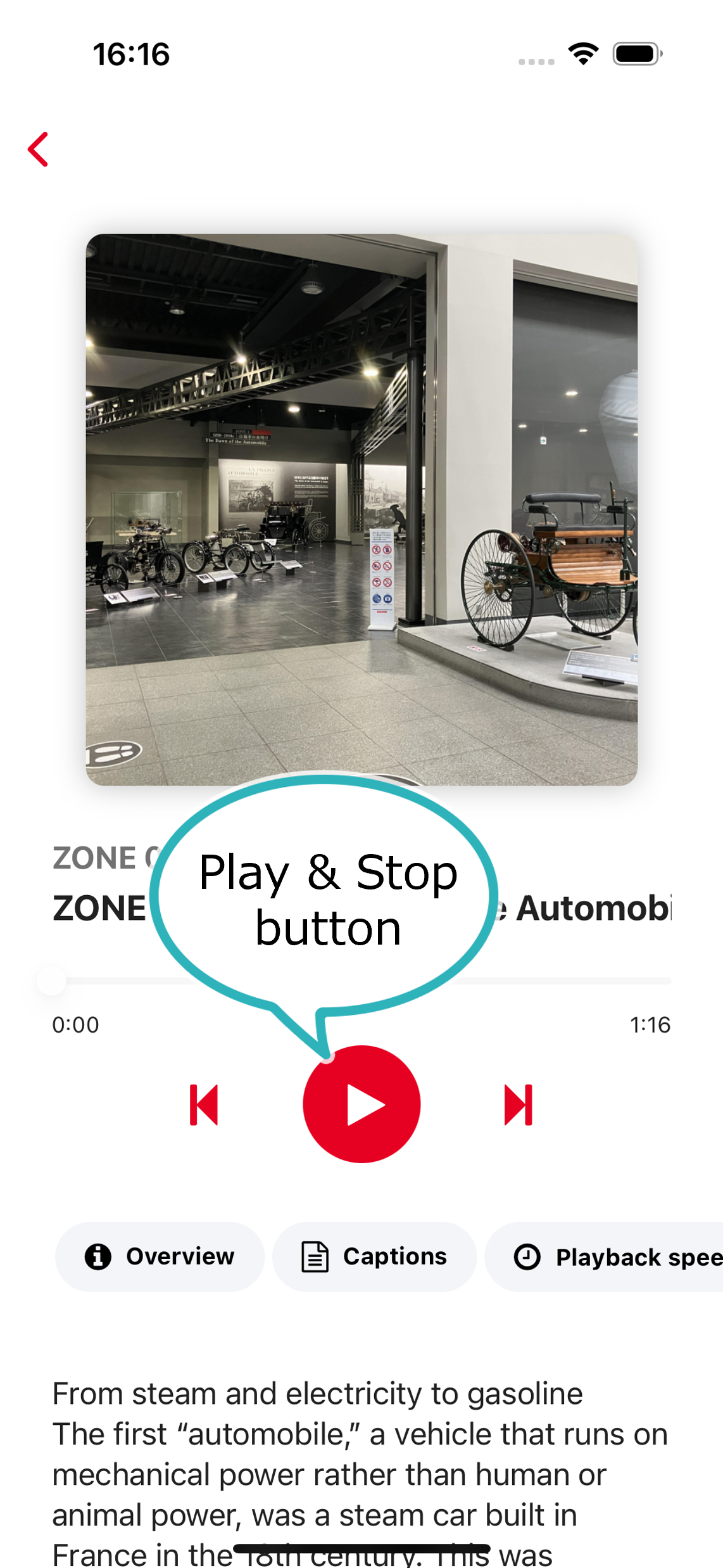
The triangular buttons in the center of the screen are “Play” and “Stop. The “Caption” button plays the text of the exhibit guide.
QR Code Search

You can search by QR code using the search button in the lower right corner. Read the QR code on the vehicle description panel to view the vehicle description.
Floor Map

Tap “Map” at the bottom of the screen to display a map of the museum.
If the QR code cannot be read
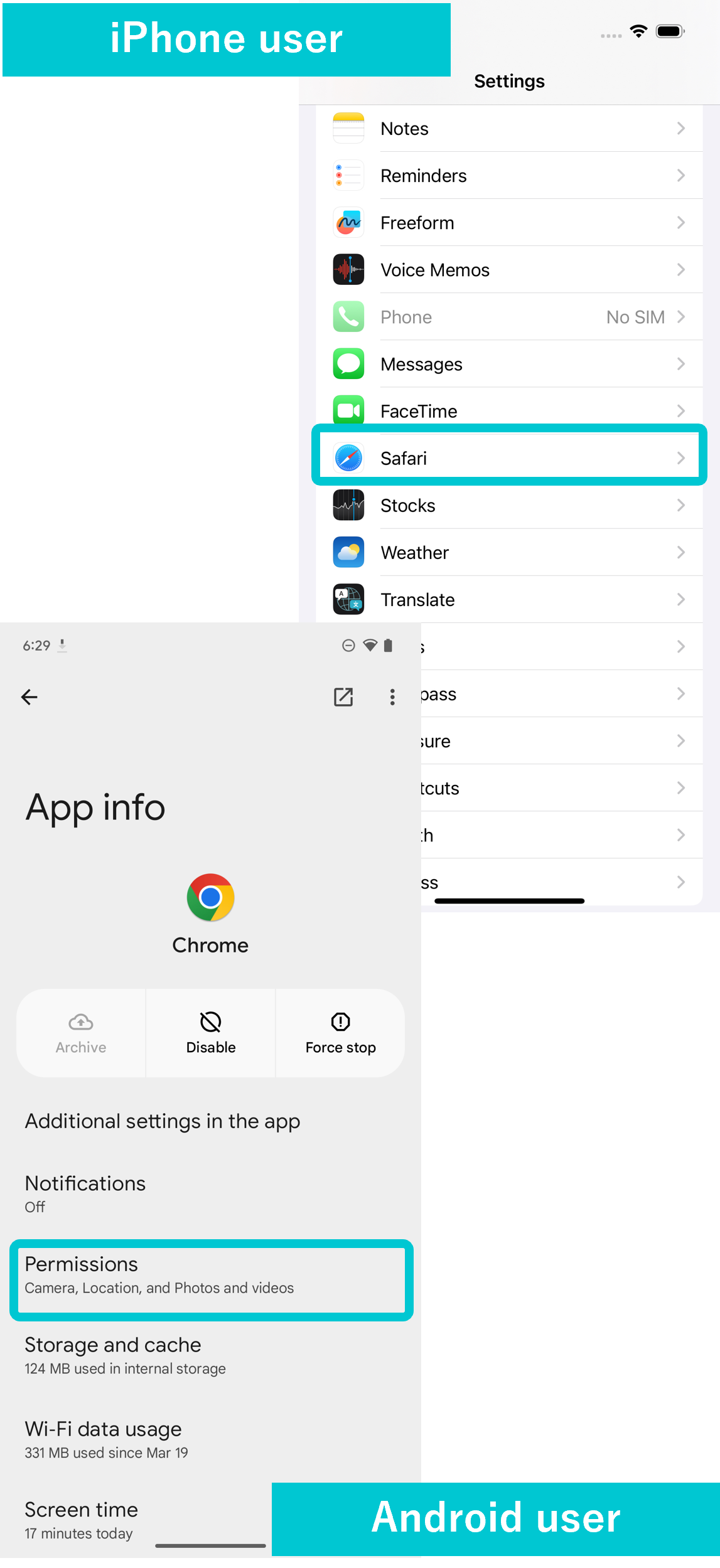
If the camera cannot be activated from exhibit guidance, please allow the browser to activate the camera.
Change Language
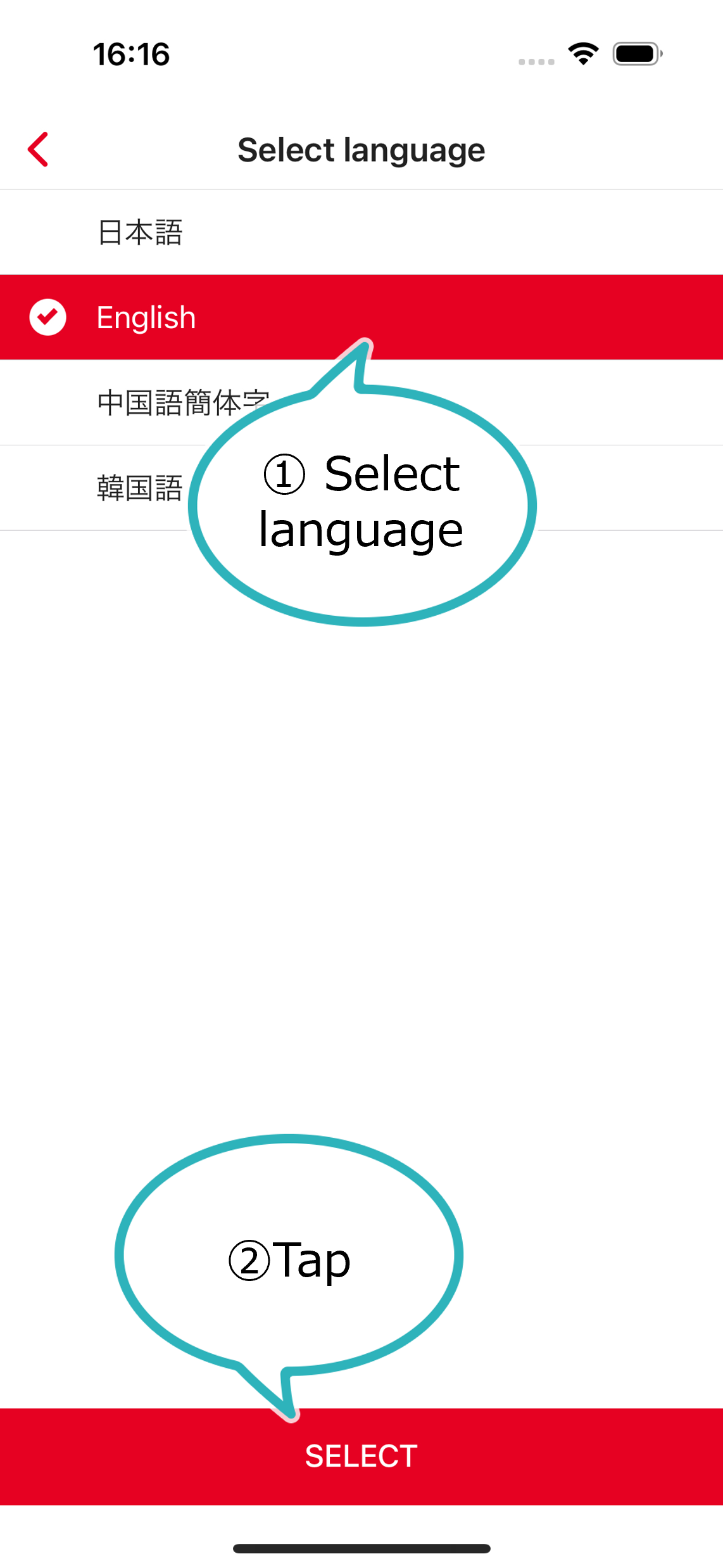
You can change the language from the “Menu” in the upper left corner of the screen.
